Legal practice, in the clear
Your case. Clearly.
Bills that get paid. Papers ready for your court. Clients who can see.
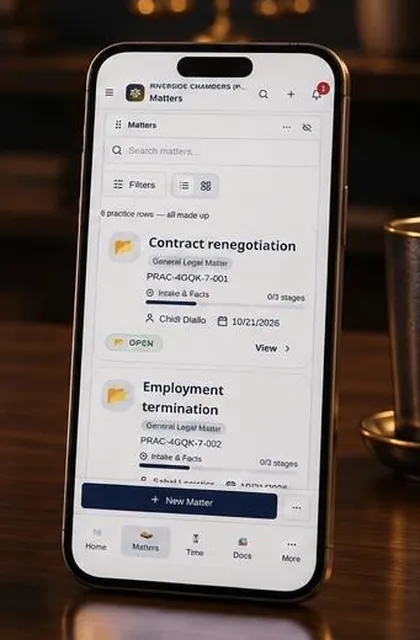
One matter, start to finish
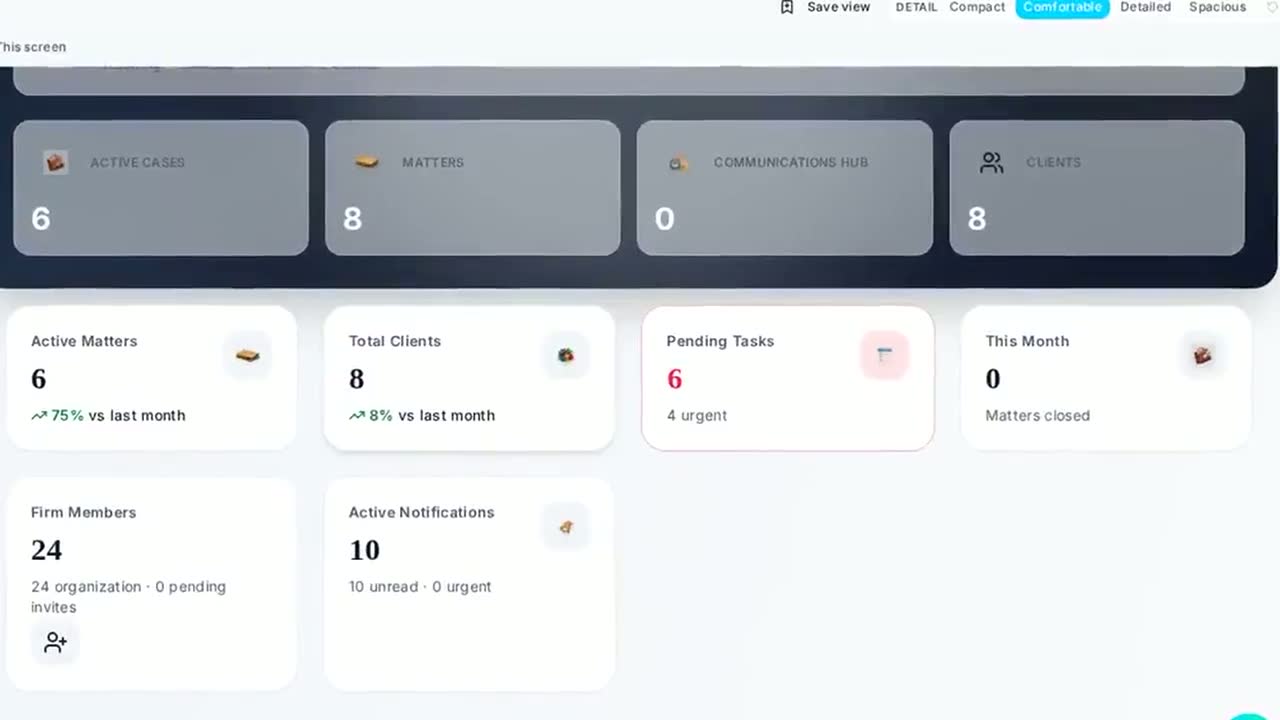
Step 1 of 2
Open the matter once
Today the same client details live in a notebook, a spreadsheet and three chat threads. Here you capture the first instruction once — conflicts, parties, documents — and never type it again.
Documents and evidence in one place
Every version kept, with who filed it and when.
Deadlines and hearing dates on the file
The next date is on the matter, not in someone's notebook.
Bills and client money against the matter
What was billed, what was paid, and what is held for the client.
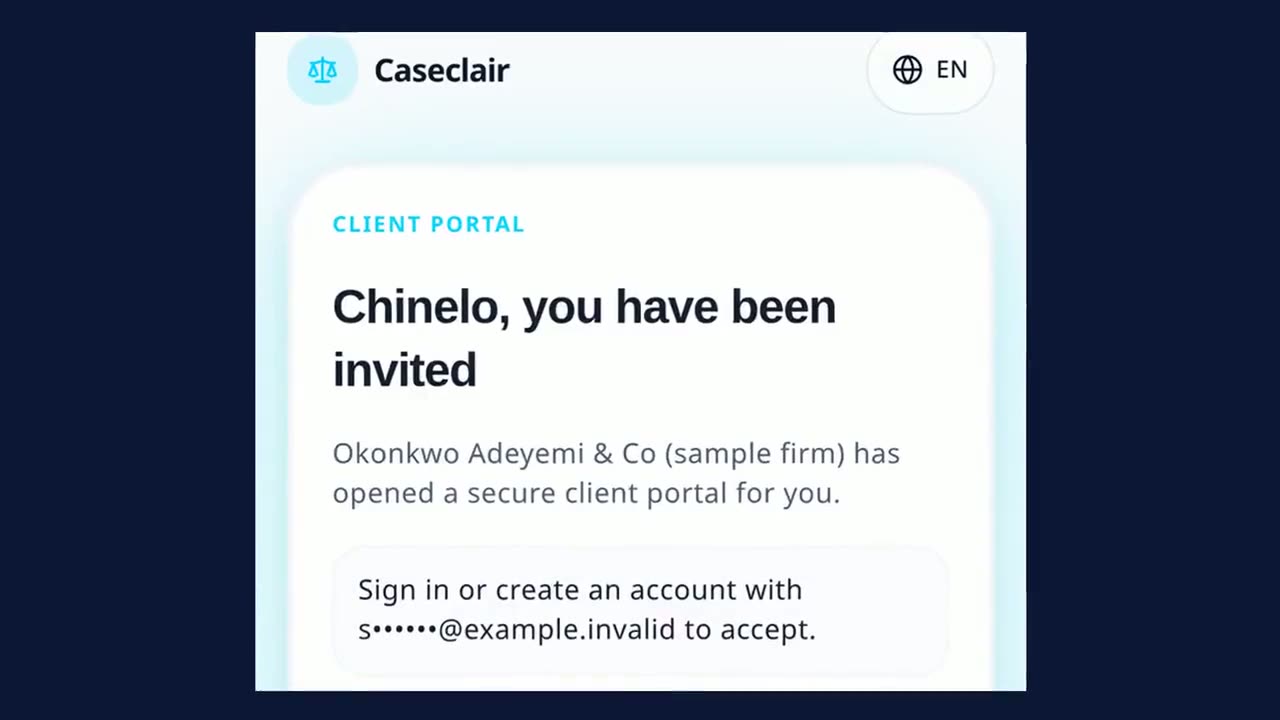
Step 2 of 2
Your client stops asking what is happening
Your client stops calling to ask what is happening. They see only their own matters — the updates you choose to publish, the documents you share, and what they owe, in the language and currency they use.
Updates in plain language
You decide what is published to the client and when.
Documents and signatures
Share a document, ask for one back, or have a contract signed in the portal.
What is owed, in their currency
Bills, due dates and payments they have made, priced in the currency you bill in.
A real Caseclair screen. Every name and figure is sample data.
Why Caseclair
Six things your practice notices in the first week
Each one works today, on the phone you already carry.
A second lawyer checks what matters
Client, court and money actions wait for a different lawyer to approve them before they take effect.
Signatures that hold up
Every signing step is recorded in a tamper-evident chain, with a certificate you can put before a court.
WhatsApp and email inside the file
Client messages and emails land on the matter. Replies go out only after a lawyer approves them.
Keeps working when the network drops
Pages you opened stay available and new work is sent when the connection returns.
Bills in the client's own terms
Currency, tax and withholding follow the client's country, and you can adjust them before sending.
Clair drafts, you decide
The assistant prepares first drafts for lawyer review. It never gives advice, files anything, messages a client or moves money on its own, and nothing goes out without a named lawyer signing off.
The difference
The same week, two ways
No new promises here — just the same tasks, done the way most practices do them today and the way Caseclair does them.
Opening a matter
How it is done today
Details typed again into a folder, a diary and a spreadsheet.
With Caseclair
Entered once. The file, the diary and the bill all read from it.
Court papers
How it is done today
Cause titles retyped for every process and formatting checked by hand.
With Caseclair
Chosen from your court's own list, cause title built for you, downloaded as an editable Word file.
Bills and tax
How it is done today
Tax and withholding worked out on a calculator, differently each time.
With Caseclair
Worked out from your jurisdiction's own rates and shown on the bill.
Client updates
How it is done today
Calls and messages repeating the same answer all week.
With Caseclair
The client signs in and sees the stage, the papers and the balance.
Proof for a review
How it is done today
Folders searched one by one to show what happened.
With Caseclair
Every change kept with who made it and when.
From a single practitioner to a firm with branches
The same file, the same court diary and the same client view — whether you practise alone from one room or run chambers across several cities. It works on the phone you already carry.
Solo practitioner
Run the practice from your phone: court diary, files and getting paid, without a clerk.
Two ways in
Starting fresh, or switching?
Both journeys are first-class. You do not need an IT project for either.
From paper files
Before: cabinets and a diary only one person can read.
Open each active matter once with its parties, dates and documents. Closed files can wait.
From spreadsheets
Before: several copies of the same list, none quite right.
Bring your client and matter lists across from a spreadsheet, then check them before anything goes live.
From another system
Before: software that does not know your courts or taxes.
Export what you have and we help you map it to your clients and open matters.
Support
Email support@caseclair.com with your firm name and what you need help with.
What you can rely on
What Caseclair does for you
Three plain answers. Nothing here is promised unless the platform can show it.
Bills can carry tax added on top and tax deducted by the client, with the net figure shown.
Papers are laid out using per-court settings. Starter templates need a lawyer's review before filing.
Clients can sign in to see their own matter, updates and bills.
Court papers in your court's format, reviewed by a lawyer.
Deadlines suggested from the court rules.
Check for conflicts before you open a matter.
Invoices, payments and tax in one place.
A flat price for small firms.
A sample firm: a court date, a bill, the client's view. Captions on.
About 2 MB on phones and slow connections, 6 MB on wider screens. Nothing downloads until you press.
Straight answers
What we will not claim
Software sold to lawyers is usually described in superlatives. Here is the plain version.
- Caseclair is young
- A small number of practices use Caseclair today. We do not round that up, and we will not publish a user count until it is worth showing.
- There are no testimonials here
- We have not collected consented, named quotes from clients yet, so we publish none. Invented praise is worse than silence.
- The pictures are illustrations
- The images on this page are drawings, marked as such. Where we show a real screen, it carries rehearsal figures — never a real client's file.
- CLAIR is not a lawyer
- It does not give advice, file anything, message a client or move money. It drafts, and a lawyer decides.
- Built for your court, useful anywhere
- Court formats and compliance rules are set up per country, and we only offer what we have actually set up. Wording in other languages is machine-drafted until a native speaker approves it.
- What it costs
- Pricing is published per country in local currency, with regional pricing for lower-income markets. You see the figure for your country, with tax stated, before you create anything.
- When the internet drops
- The app keeps working on a weak connection: pages you have opened stay available, and work you enter is held on the device and sent when the connection returns. A low-data mode trims the heavy parts on demand.
Get started
Set up your practice in an afternoon
Create your practice, invite the people who work with you, and open your first matter — most firms are working the same afternoon. If you are moving from another system, we help you bring your clients and open matters across.
Film description
Keep the record clear when the work moves forward.
A lawyer organizes a completed file in a controlled records space. The scene does not imply a particular case result.
Recorded from CASECLAIR using a clearly labelled fictional sample practice; all names and figures are made up.